CoronaPoker

No-Limit Texas Hold’em

Your move.

“In many ways, the poker game we always deserved.”

Explore the gameWindows macOS Linux

The game

Poker night. Your rules.

Create a private table for 2 to 10 players, or fill the open seats with bots. One player hosts and the others connect directly to their table. Set the blinds, buy-ins and rebuys, then save the setup for next time.

Pure P2P. No accounts or central servers.

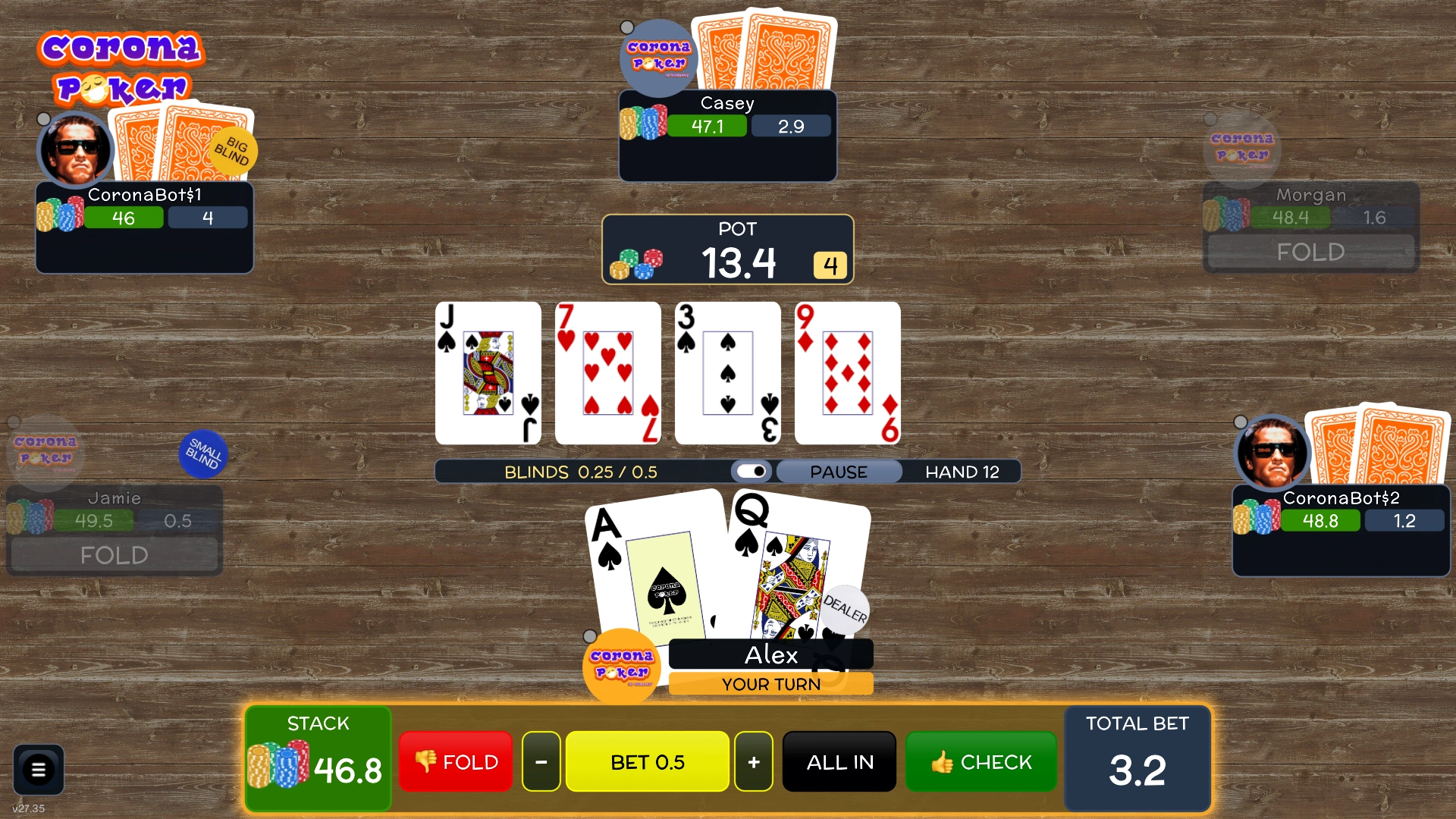
No-Limit Hold’em table with the board, chip stacks and betting controls
In-game screenshotNo-Limit Hold’em

Mental Poker

Everyone shuffles. Everyone verifies.

At a physical table, you can watch the dealer shuffle. In CoronaPoker, every human player helps shuffle and protect the deck, including the host. Everyone can check the deal while other players’ cards stay private. That’s Mental Poker.

How Mental Poker worksIllustration with three players

Shuffle and lock

Alice hosts the game and starts with a deck in a known order. She locks and secretly rearranges all 52 cards. Bob receives a deck that’s already encrypted, so he can move the cards without reading them. He adds his own lock to each card. You repeat the process with both layers still in place.

What if the host leaves the deck in its original order?

The host knows the starting order. Once even one other player secretly shuffles the encrypted cards, the host loses track of where they went. Starting the shuffle gives the host no way to predict the final order.

  1. AliceHost
  2. Bob
  3. You
52 face-down cards
  1. Alice starts with the 52 cards in a known order. The demo shows them face down.
  2. Bob receives 52 cards with Alice’s lock already on each one.
  3. You receive 52 cards with both Alice and Bob’s locks on them.
  4. The deck returns to the host. All 52 cards now have three locks, and no single player knows the final order.

Check the shuffle

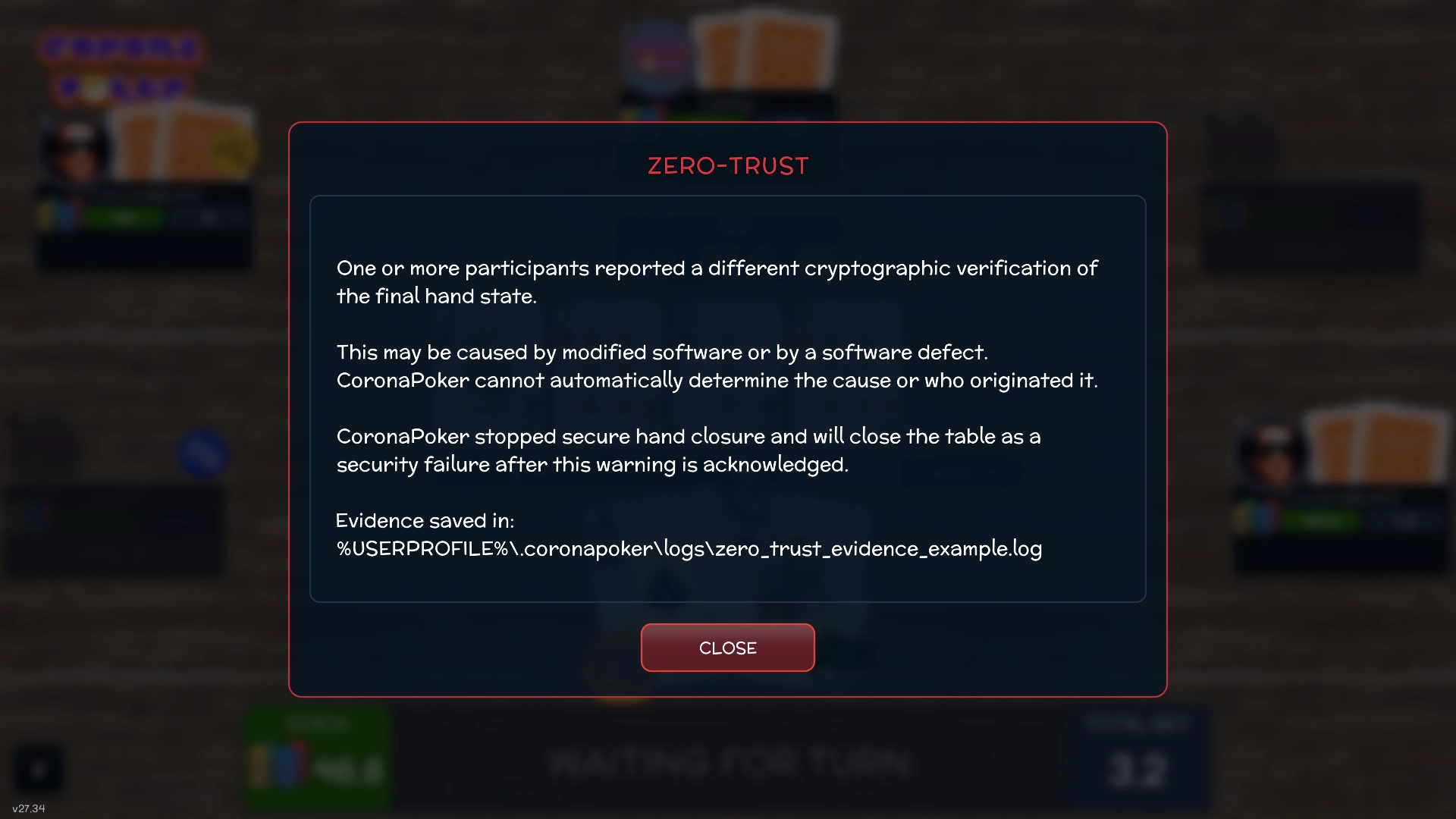
Each player’s computer verifies a mathematical proof that every shuffle kept the same 52 cards exactly once. The proof keeps the new order secret. If verification fails, the community cards stay sealed.

  • Same 52 cards
  • No copies or substitutions
  • Order stays secret
Each player checks the proof
Alice Bob You

Reveal at the right time

Your private cards keep their original locks. Before the deal, each player replaces their locks on the community cards with a separate set. As betting progresses, all three players help unlock just the cards that are due to turn over.

Your cardsOnly you can see these
Community cards
FlopVisible to everyone
TurnVisible to everyone
RiverVisible to everyone
  1. Your two cards start face down, with a lock from Alice, Bob and you. The community cards have their own set of locks.
  2. Alice removes her layer of encryption. Your cards are still sealed by Bob’s lock and yours.
  3. Bob removes his layer. Your cards reach your computer with only your own lock left.
  4. Your computer opens the last lock locally. Only you can see the ace and queen of spades.
  5. Preflop betting is over. Alice, Bob and you release your locks on the flop. Those three cards are now public. The turn and river stay locked.
  6. Flop betting is over. All three players release their locks on the turn. The river still has all three locks.
  7. Turn betting is over. All three players release their locks on the river. Everyone can now see all five community cards.
Under the hood

CoronaPoker implements commutative SRA encryption over Ristretto255, Bayer–Groth zero-knowledge proofs for the shuffle and chained DLEQ proofs for the deal. The host coordinates the game. Players verify the proofs independently.

Read the security specification

Configurable opponents

A different read on every seat.

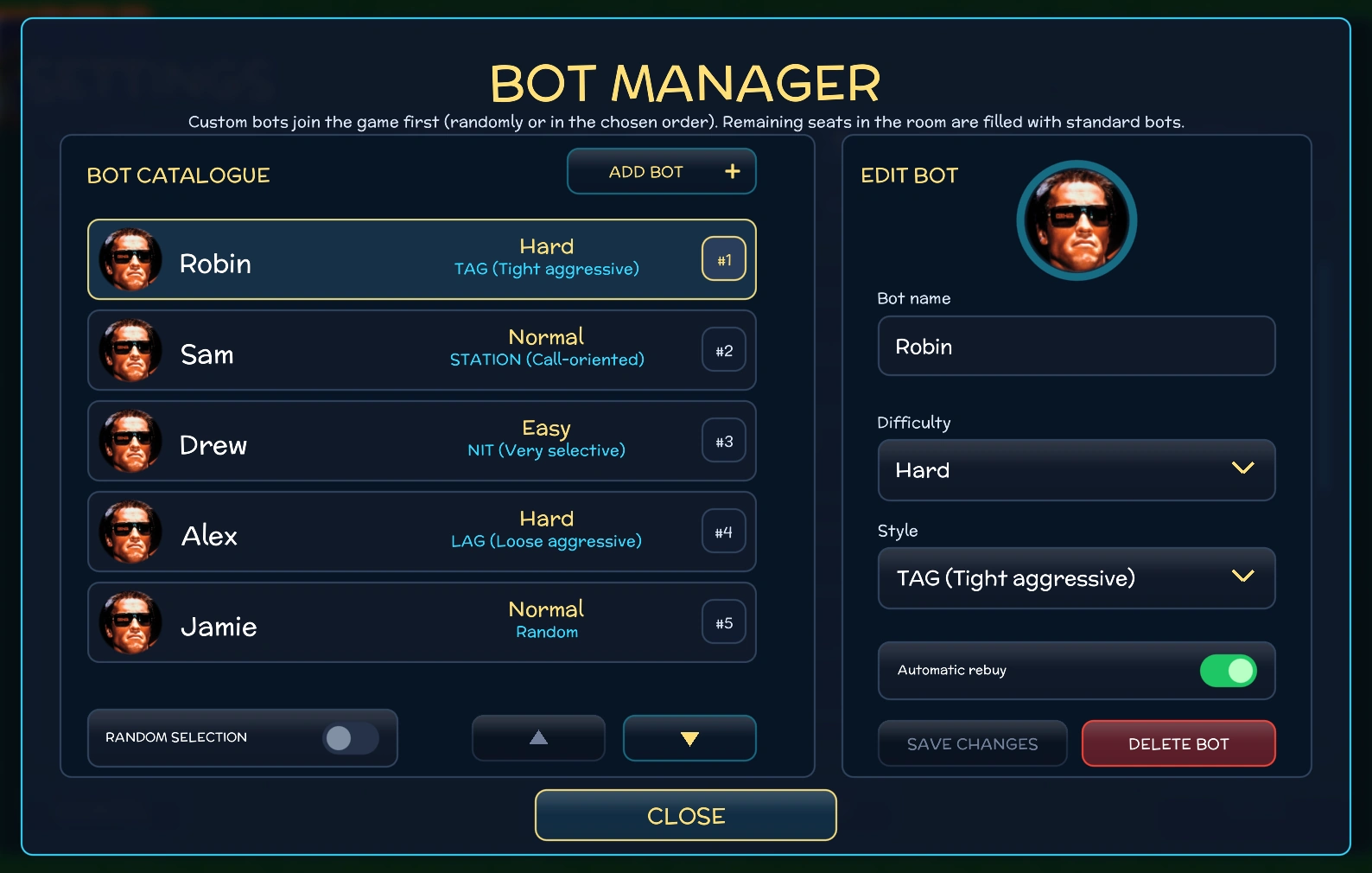
Fill the table with opponents that play tight, call often or put you under pressure. Choose Easy, Normal or Hard for each custom bot and give it a name, a face and a style of its own.

NIT
Tight
STATION
Call-heavy
TAG
Tight-aggressive
LAG
Loose-aggressive
Explore the bot engine
Bot catalogue with difficulty, playing style and rebuy settings
In-game screenshotBot manager

Features

Make it your poker night.

Fine-tune the rules, play with friends and study your sessions. The game interface is available in 30 languages.

Table rules

Set the pace.

Blinds and buy-ins
Set your blind schedule, starting stacks and rebuys. Save the setup as a preset for the next game.
Antes and straddles
Add an ante or let the first player to act post a voluntary straddle before seeing their cards.
Run it twice
On an all-in with several players, the players involved can agree to deal the remaining board twice and split the pots between the two boards.
Side pots and split pots
Players can win the pots they contributed to. If a split leaves an odd cent, it rolls over into the next hand.
Rabbit Hunting and hand rankings
See which community cards would have come next when a hand ends early, or use the hand generator to learn poker rankings.
Poker rules
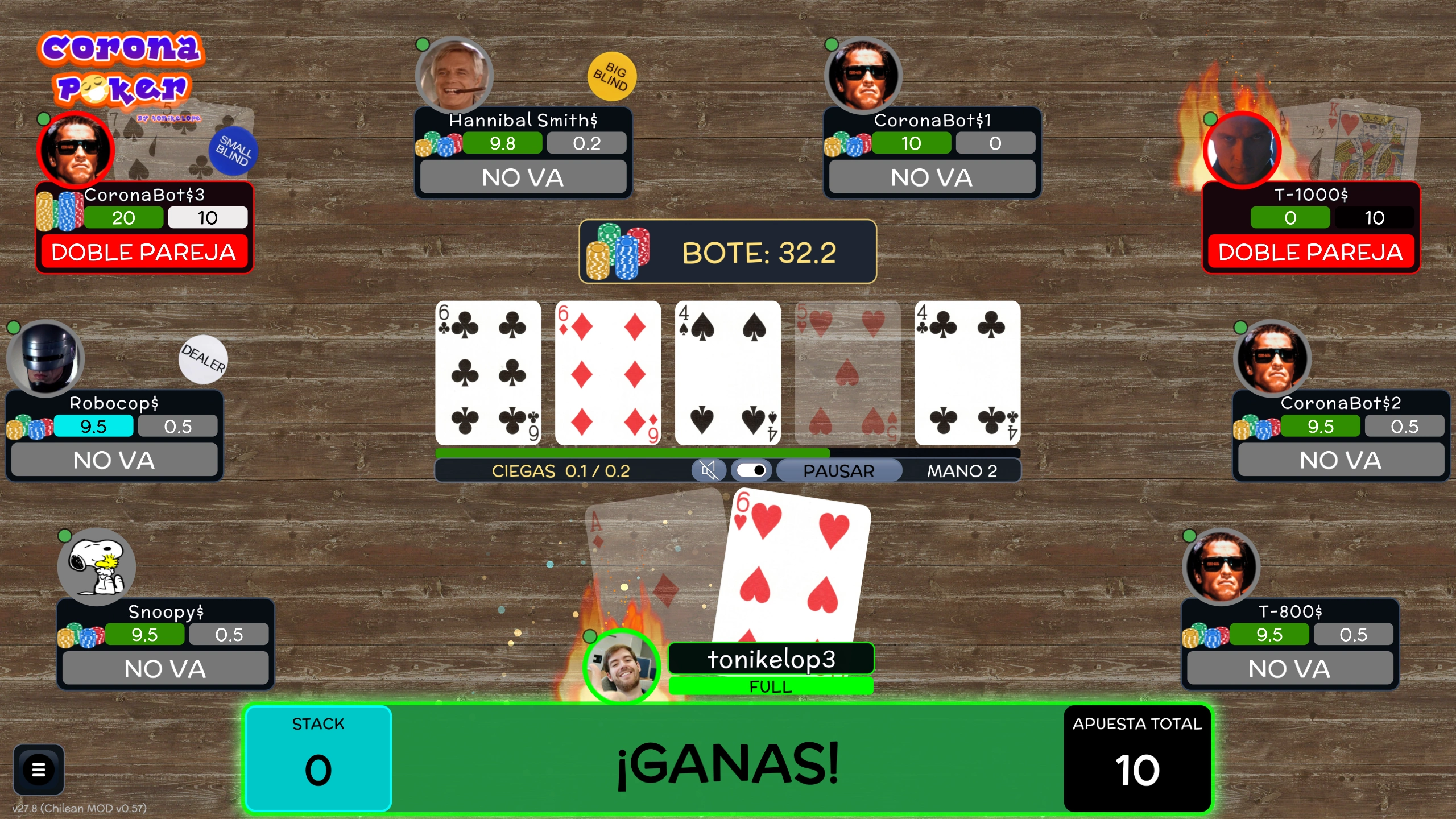
A completed hand at a large table with pot and showdown results
In-game screenshotShowdown

Play with friends

Keep the table talking.

Chat and voice notes
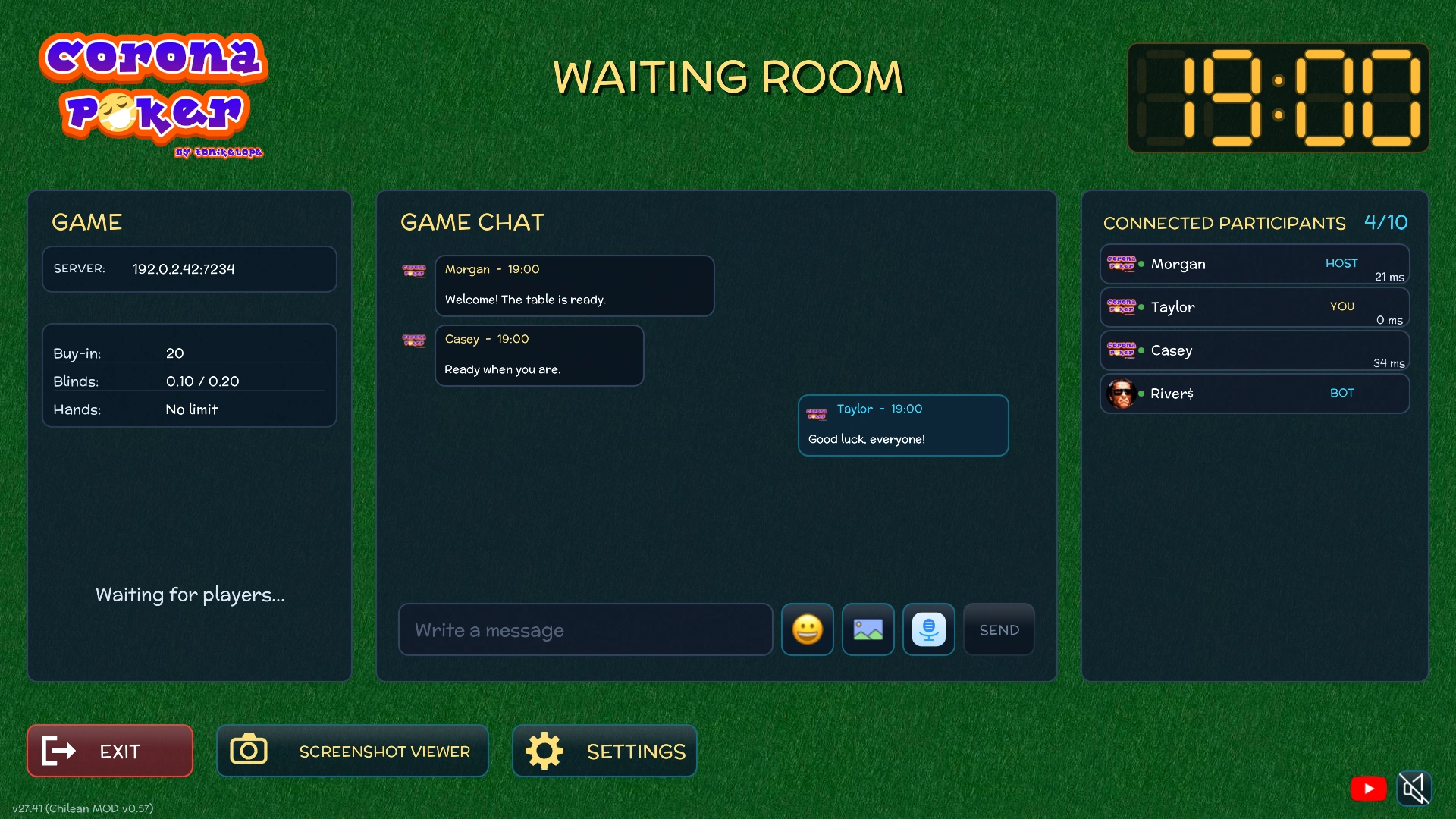
Send GIFs and emoji in the waiting room or hold a key to record a short voice message in the lobby or at the table.
Join in progress
If the host allows it, a player can join a running table and start playing on the next hand.
Reconnect to your seat
If your connection drops, the game can hold your seat while it tries to reconnect.
Private tables
Host a table for 2 to 10 players and set an optional password. Give each player a face with custom avatars.
Spectator mode
Stay at the table and watch the rest of the session after running out of chips.
Waiting room with chat, game settings and the player list
In-game screenshotWaiting room

Stats and history

Revisit the hand.

Hand history
Review the cards, positions, actions and showdown results of recorded hands.
Session analysis
Compare players and sessions, follow your chip balance and explore starting-hand and position heatmaps.
Offline dashboard
Filter by game, player or date, and exclude bot results when you want to focus on human play.
Live log and local history
See actions and pot amounts as the hand plays out. Completed hands are stored locally so you can review them later.
Optional sharing
Exchange completed games directly with other players. Sharing and receiving are both off by default.
See the statistics guide

Chip balance over time

Illustration with sample data

Look and controls

Make the table feel right.

Cards and felt
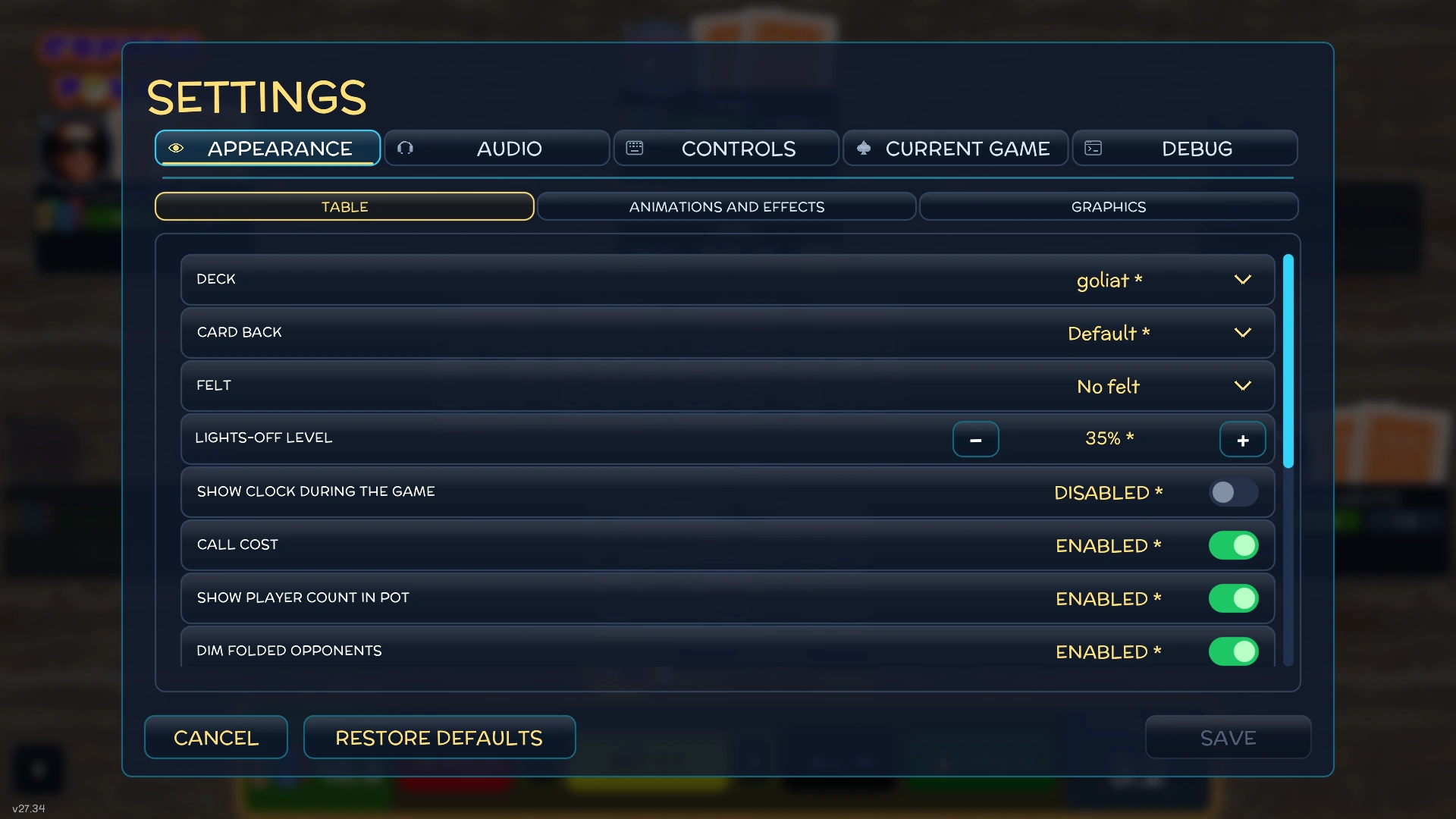
Choose the deck, card backs, felt and table lighting.
Sound and controls
Adjust game sounds, mute voices or remap the controls you use at the table.
MOD packs
Use a custom pack to replace decks, sounds or all-in animations.
Display and effects
Play in a window or fullscreen. Dim the table for late sessions and choose which animations and effects to show.
Fast decisions
Queue a check or fold, cap an automatic call, or ask for confirmation before committing to a move.
MOD packs
Appearance options for felt, card backs and table lighting
In-game screenshotTable appearance

Poker videos

Watch at the table.

YouTube and Shorts
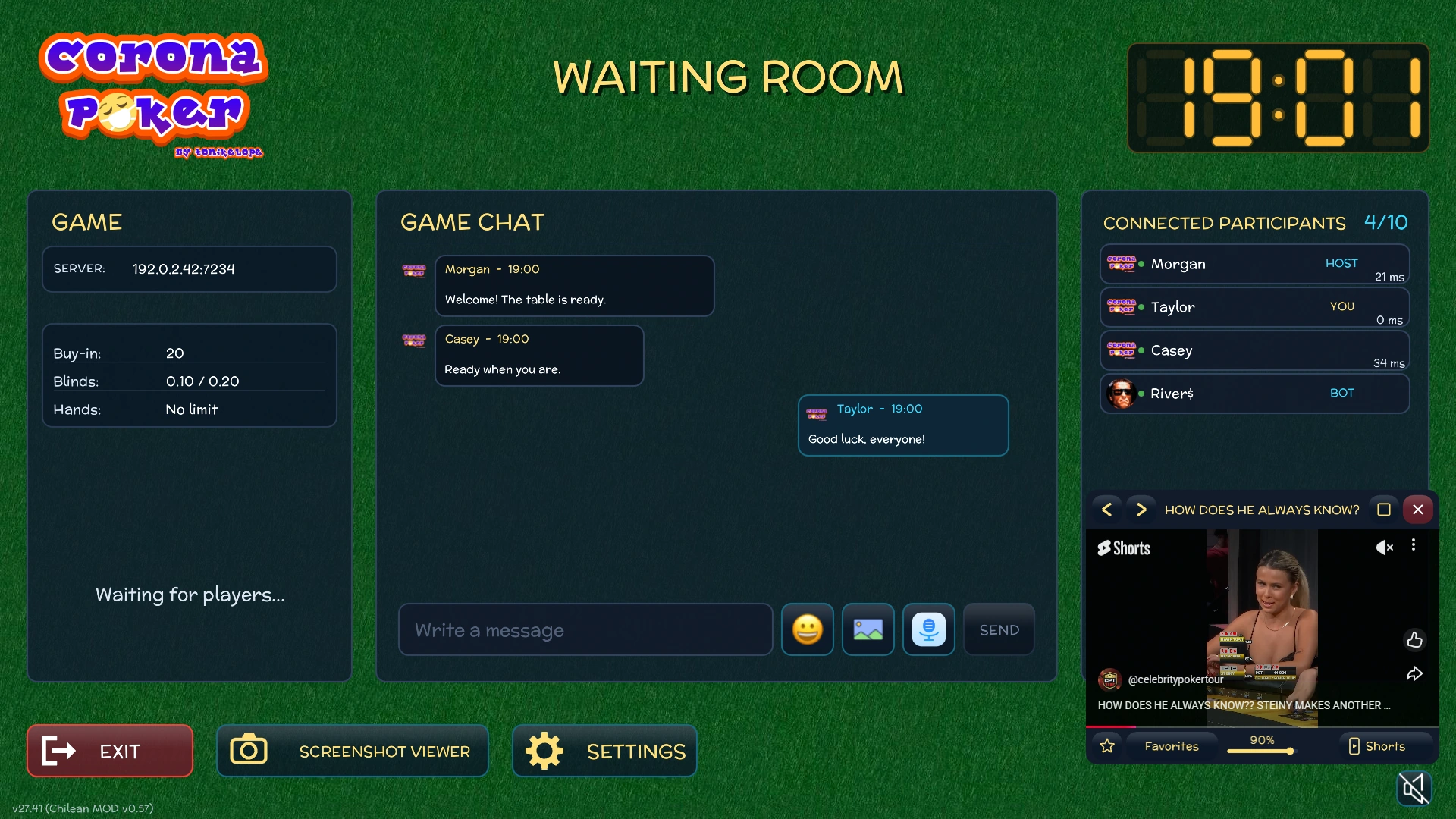
Open the poker video player from the main menu, the waiting room or the live table.
Carousel and favorites
Browse regular videos or Shorts and save your favorites from both formats.
A window you can move
Resize the player, set its opacity or minimize it while you play.
See the video player guide
The waiting room with the poker video player open in the lower-right corner
In-game screenshotPoker video player

30 languages

Play in your language.

30 interface languages
Choose your language in the main menu. CoronaPoker remembers it for next time and uses your system language on first launch when supported.
More than the menus
The statistics dashboard, image and GIF gallery, video player messages and PDF viewer controls follow the selected language.
Poker rules in English and Spanish
Open Robert’s Rules of Poker in either language. Both versions are included with the game.
30

Game interface languages

  • Afrikaans
  • Български
  • Català
  • Čeština
  • Dansk
  • Nederlands
  • English
  • Suomi
  • Français
  • Galego
  • Deutsch
  • Ελληνικά
  • Magyar
  • Italiano
  • 日本語
  • Lietuvių
  • Norsk bokmål
  • Polski
  • Português (Brasil)
  • Português (Portugal)
  • Русский
  • Gàidhlig
  • 简体中文
  • Slovenčina
  • Español
  • Svenska
  • தமிழ்
  • Türkçe
  • Українська
  • Tiếng Việt

Free and open source

Deal yourself in.

Pick your platform. The Windows installer, portable builds and checksums are on GitHub Releases.

GPL v3

Open source since 2020.

Created by tonikelope for poker nights with friends. Read how it works, build it yourself or contribute. The game is licensed under the GNU General Public License version 3.

View on GitHub